

NetSupport Notify
- Netsupport
- Cyber Security

NetSupport Notify – Enterprise Desktop Alerting & Notification Solution
NetSupport Notify is a powerful desktop alerting and mass notification solution, available in both corporate and education editions. Designed for simplicity and impact, it enables organizations to send one-way alerts that immediately capture attention—ideal for critical updates, emergency notifications, and internal communications.
With support for Windows, Mac, and Chromebook desktops—as well as large unattended display screens—notifications can be sent from Windows PCs or Android/iOS devices. Alerts take full screen focus, even on locked screens, ensuring they can’t be missed, ignored, or delayed. The system also logs real-time delivery and acknowledgment reports for accountability.
Bluechip Tech is the authorized distributor of NetSupport Notify in Saudi Arabia, bringing this scalable and attention-grabbing communication tool to enterprises and educational institutions across the region.
Multi-Platform Compatibility
Send alerts directly from a Windows PC or Android/iOS device to Windows, Mac, Chrome OS, and Linux desktops—including unattended public display screens for maximum visibility.
Reach Everyone, Instantly
Broadcast notifications to up to 10,000 users across multiple network segments or remote sites. Stay connected on the go with NetSupport Notify’s dedicated mobile app for real-time communication.
Customizable Notifications
Personalize alerts to match your organization’s branding—customize fonts, colors, and text, add your logo, and create unique icon sets for different types of notifications.
Track Acknowledgments
Every message is logged centrally with detailed delivery and read receipts. Monitor acknowledgment status in real time to ensure your communication has reached and been seen by the intended recipients.
NetSupport Notify Product Insight
Creating a notification with NetSupport Notify
Create a Notification
Start by adding a title and message content, or select a pre-saved template for quick reuse.
Choose Notification Type
Define how the alert will appear by selecting the appropriate notification type and display priority.
Customize the Notification
Apply your organization’s branding—add logos, choose fonts, and set colors to align with your internal communication style.
Select Recipients
Target specific individuals, groups, or departments to ensure the message reaches the right audience.
Schedule the Notification
Send the notification immediately or schedule it for delivery at a specific time and date.
Track the Notification
Monitor real-time delivery status and track which users have received and acknowledged the notification, ensuring accountability.
Key Features of Netsupport NOTIFY
- Scalable Reach: Send notifications to up to 10,000 users across multiple sites and network segments.
- Flexible Delivery: Choose immediate delivery or schedule notifications in advance for timed communications.
- Comprehensive Tracking: Gain full visibility with real-time reporting and acknowledgment tracking.
- Multi-Platform Support: Compatible with Windows, Mac, Linux, Chrome OS, and public display screens.
NetSupport Notify – For the Corporate Sector
NetSupport Notify enables organizations to send routine updates or urgent alerts instantly to staff devices and digital signage across multiple sites and platforms. The message takes screen focus—ensuring visibility even on locked devices—so every employee receives and reads it immediately. It enhances internal communication, compliance, and emergency response without disrupting productivity.
NetSupport Notify – For the Education Sector
Schools can use NetSupport Notify to send impactful, one-way notifications to staff and students across desktops and large display panels in common areas. The alerts appear in full screen, cannot be ignored or postponed, and can be scheduled or targeted to specific groups for precise communication—ideal for announcements, safety messages, and time-sensitive updates.
Benefits of Netsupport NOTIFY
Save Time
Send instant, unavoidable alerts to all or selected users in one click—no contact list management needed.
Reliable Communication
Works as a backup when other systems fail, ensuring messages are seen immediately.
Boost Security
Ideal for emergencies—send audible, high-priority alerts with hotkey-triggered responses.
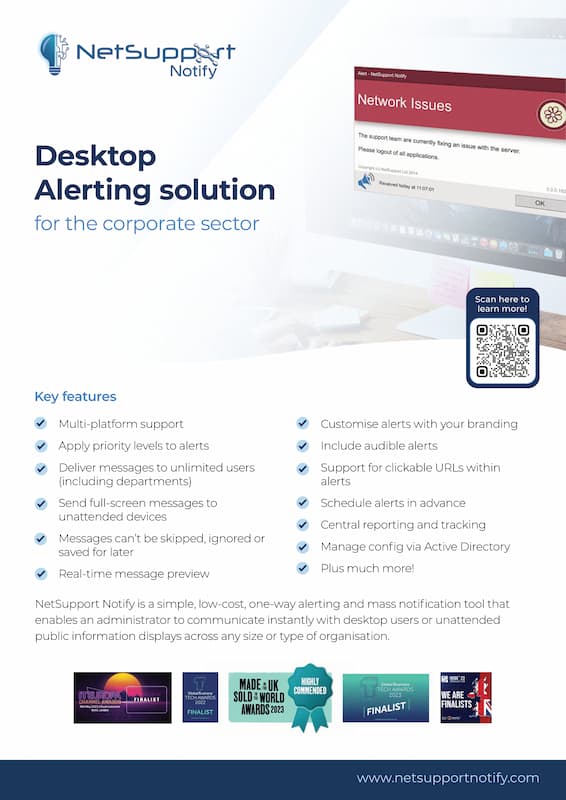
Download Corporate Brochure
NetSupport Notify – Enterprise Alert & Notification Solution
Learn how NetSupport Notify delivers instant, high-impact alerts across your organization, ensuring clear communication when it matters most.