

On-Premise Email Archiving Solutions in Saudi Arabia
- MailStore
- Cyber Security

Bluechip-Saudi delivers on-premise email archiving solutions in Saudi Arabia, powered by MailStore Server. Email archiving creates a centralized, searchable copy of every incoming and outgoing message, supporting regulatory retention requirements and protecting against accidental data loss. MailStore reduces storage usage by up to 70% through de-duplication and compression, and supports Microsoft 365, Exchange, Google Workspace, and PST file consolidation. Archived emails remain instantly searchable and recoverable through Outlook, web browser, or IMAP access.
MailStore Archiving Solution for Small and Mid-Sized Businesses
MailStore Server provides a reliable email archiving solution that creates exact 1:1 copies of all messages in a centralized archive. This ensures long-term data security and availability, even for large volumes of email. Users can quickly access and search their archived emails through Microsoft Outlook, the MailStore Web interface, or on mobile devices like tablets and smartphones—with lightning-fast search performance.
MailStore: Beyond Just Email Archiving
MailStore goes beyond simple email archiving—it helps your organization tackle critical challenges like regulatory compliance, email loss prevention, mailbox size limitations, and slow-performing mail servers. It’s a complete solution for managing and securing your email infrastructure efficiently.
Ensure Compliance & Simplify eDiscovery
Easily meet regulatory email retention requirements and handle eDiscovery processes efficiently. Fully certified to support GDPR and other data protection standards.
Prevent Email Data Loss
Automatically archive every incoming and outgoing email to ensure secure, long-term availability—even if messages are accidentally deleted or lost.
Lighten the Load on Email Servers
Reduce server storage demands by archiving emails and setting automated deletion rules—keeping systems optimized and performance high.
Instant Email Search & One-Click Recovery
Quickly locate any archived email or attachment with powerful full-text search, and restore them instantly with a single click—no IT support needed.
Optimize Storage with Smart Archiving
Reduce storage usage by up to 70% through intelligent de-duplication and compression—attachments are archived once and stored efficiently.
Say Goodbye to Mailbox Limits
Free up mailbox space by safely archiving emails, ensuring users never hit storage quotas or lose access to critical messages.
Eliminate PST File Risks
Centrally archive and manage all PST files to eliminate the need for local storage, reducing data loss risks and IT support issues.
Accelerate Backup and Restore Processes
Lighten the load on your mail server, allowing backups and restores to run faster and more efficiently.
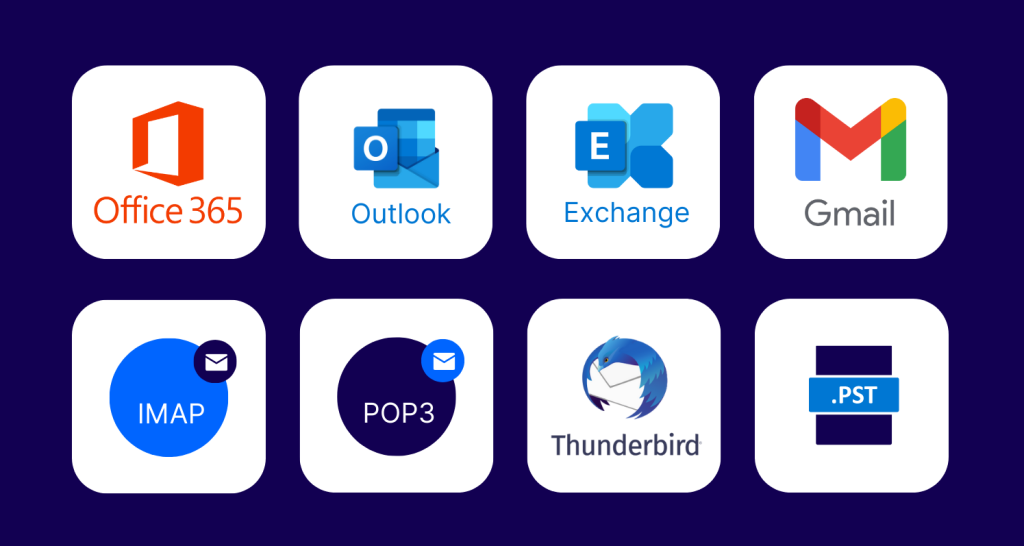
Compatible with All Major Email Platforms
Choose an email archiving solution that’s easy to manage, user-friendly, and dependable. Our platform supports nearly every email system to fit your unique environment.
- Comprehensive Support for All Major Email Platforms
- Seamless Integration Across Cloud, On-Premises, and Legacy Email Systems
- Archiving Support for Popular Email Services, Clients, and File Formats
- Broad Compatibility with Email Servers, Clients, and Formats
- Supports Microsoft 365, Exchange, Google Workspace, PSTs, and More
- Universal Email Archiving Compatibility
- Flexible Email Archiving Across Cloud, Client, and Server Environments
Fast and Flexible Archive Access for Users
Users can easily access their archived emails through multiple interfaces and quickly find what they need using a powerful full-text search or by navigating familiar folder structures.
Microsoft Outlook Integration
Access archived emails directly within Microsoft Outlook (XP to 2013, 32- & 64-bit) via a seamless add-in. Easily deploy across users using Group Policy for centralized rollout.
Access via Web Browser
Browse, search, and restore archived emails from any device using a web browser. The interface mirrors familiar folder structures for intuitive navigation and retrieval.
IMAP Access for Email Clients
Built-in IMAP support allows read-only access to archives from any IMAP-compatible email client—including Thunderbird—across Windows, macOS, Linux, and mobile platforms.
MailStore Desktop Client
In addition to browsing and viewing emails, users with appropriate permissions can configure and run archiving or export jobs using the full-featured desktop client.


Built-In Advanced Storage Architecture
MailStore Server uses an advanced, self-contained storage system that eliminates the need for an external database and is ready to use right after installation.
- Scalable Architecture for All Data Sizes and User Counts
- Efficient Storage with De-Duplication and Compression
- Data Integrity Secured with SHA1 Hashing
- End-to-End Encryption with AES-256 Security
- Compatible with Enterprise Storage Systems (iSCSI, Fibre Channel, NAS, SAN)
Compliance Features
- MailStore ensures comprehensive, automatic archiving of every email across your organization—capturing all messages without exception.
- Emails are archived in their original, unaltered state—preserving every detail exactly as received or sent.
- Easily apply custom retention policies and enforce legal holds to meet compliance and regulatory requirements.
- All user actions and system events are tracked and recorded using built-in audit logging integrated with the Windows Event Log.
- Grant dedicated, read-only access to auditors using a secure “Auditor” user role for compliance reviews and inspections.

Seamless Export and Recovery of Archived Emails
With MailStore, all archived emails can be easily exported at any time in the long-established RFC 822 format. Optional cryptographic signatures safeguard exported messages from tampering—preserving integrity even outside the archive and ensuring long-term format compatibility.
Users can also restore emails to their mailboxes instantly with a single click—eliminating the need for IT to retrieve lost emails from backups and reducing administrative workload
Download Corporate Brochure
Download MailStore Email Archiving Corporate Brochure
MailStore ensures your emails are securely retained, easily accessible, and reliably retrievable whenever needed.
FAQs- Frequently Asked Question
Q: What is the difference between email archiving and email backup?
A: Archiving creates a permanent, searchable 1:1 copy of every email for compliance and retrieval, while backup is typically for disaster recovery. MailStore focuses on long-term, auditable archiving.
Q: Does MailStore reduce email server storage load?
A: Yes. By archiving emails and applying automated deletion rules, it reduces server storage demands and improves mail server performance.
Q: Can users search and restore archived emails themselves?
A: Yes. Users can search and restore emails instantly via Outlook, a web browser, or IMAP access — without IT support.
Q: Is MailStore compliant with data protection regulations?
A: MailStore is certified to support GDPR and other data protection standards, with audit logging and legal-hold enforcement for compliance reviews.