
Mobile Device Management Deployment: Solving Common Enrollment Failures and Authentication Loops

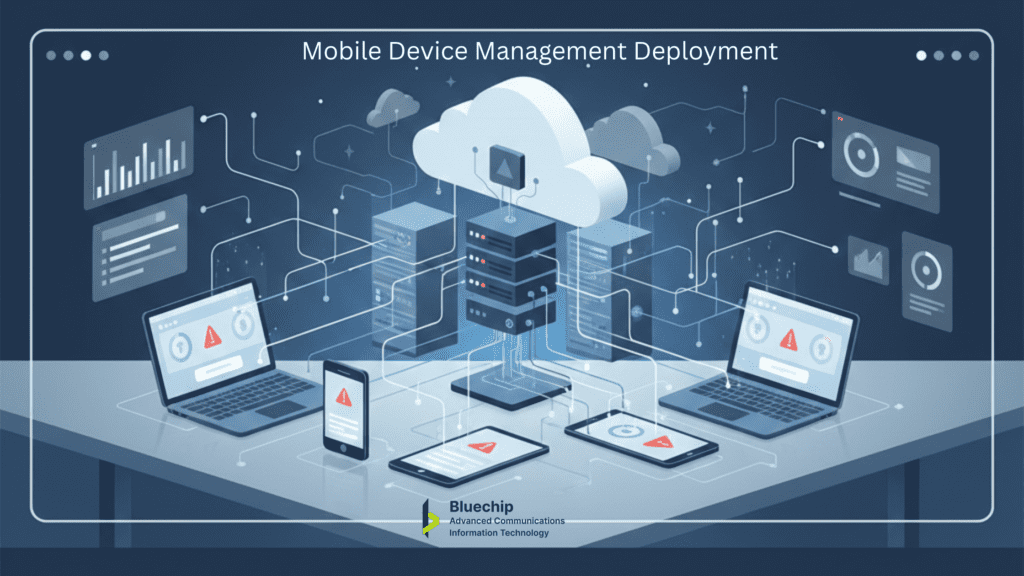
Deploying Mobile Device Management reveals technical challenges that test IT operations teams most severely. Platforms arrive with proper configuration and licensing, security policies designed carefully—yet enrollment failures emerge consistently during rollout, stalling progress and creating user friction across device groups.
IT leaders discover these issues only when scale exposes configuration gaps between planning and execution. Understanding failure patterns distinguishes deployments that complete smoothly from those requiring extended troubleshooting.
This guide examines enrollment failures, authentication loops, platform fragmentation, and diagnostic indicators that reveal root causes.
Why Enrollment Failures Happen
Enrollment establishes the management channel between device and MDM platform, enabling policy delivery, compliance enforcement, and remote control. Failure at this stage blocks all subsequent functions.
Server-side configuration errors create widespread issues affecting device groups. Mismatches occur in Apple Business Manager or Google Workspace provisioning, enrollment profile settings, or device ownership declarations. Personal devices enrolled through corporate profiles fail consistently; error messages rarely identify ownership mismatch clearly.
Verify MDM alignment with deployment model before initiating rollout. Company-owned devices, supervised devices, and BYOD require distinct enrollment approaches.
Device-side prerequisites demand supported OS versions, adequate storage for agents and profiles, and encryption where MDM mandates it. iOS/iPadOS supervised mode—essential for granular controls—requires initial setup or factory reset. Post-configuration attempts fail silently on older versions, generically on newer ones.
Network connectivity issues manifest differently. Corporate firewalls block MDM management ports. Proxies intercept traffic without proper certificate validation. VPN requirements conflict with enrollment flows expecting direct server access.
Authentication Loops: Causes and Resolution
Authentication loops trap devices in repeated verification cycles without progress or actionable errors. End users experience indefinite hangs—no advancement, no diagnostics, no resolution path.
Primary causes center on identity provider conflicts:
Corporate identity providers (Microsoft Entra ID, Active Directory with ADFS) create multi-redirect flows between device, identity provider, and MDM server. Single misconfigurations trigger cycles.
Specific triggers include:
- OAuth token expiration shorter than enrollment duration
- Redirect URIs not matching MDM platform requirements exactly
- Conditional access policies blocking MDM service accounts
- Identity provider certificate mismatches
Resolution sequence:
Validate redirect URIs against MDM documentation. Exact matches prevent redirect failures across platforms.
Review conditional access policies. Multi-factor authentication unsupported by enrollment workflows creates indefinite loops.
Extend token lifetimes to accommodate enrollment under server load. Large-scale rollouts extend authentication duration.
Test browser authentication manually on target devices. Logs expose redirect chains invisible during automated enrollment.
Examine MDM service account permissions in identity provider. Missing application roles block authentication completion.
Platform Fragmentation: The Consistency Problem
Enterprises manage diverse ecosystems—iOS, Android, Windows spanning hardware generations. Enrollment procedures, profile formats, policy enforcement, and error diagnostics differ fundamentally across platforms.
Aggregate MDM reporting masks platform-specific failures. iOS enrollment succeeds while Android stalls without clear indicators. Windows devices report differently than mobile endpoints.
Mitigation requires deliberate practices:
- Phase rollouts by platform dominance. Address majority inventory first, resolving issues before expanding to minority platforms.
- Maintain platform-specific profiles despite identical security intent. Password complexity, encryption standards, and app restrictions implement differently across operating systems.
- Catalog platform-specific error messages. Android “configuration mismatch” differs fundamentally from iOS equivalents. Reference documentation accelerates diagnosis.
- Test representative hardware generations before broad deployment. Legacy devices reject features newer models process automatically.
Common Error Messages and What They Indicate
“Enrollment failed: device not supervised”
Profile requires supervised mode unavailable post-setup. Modify profile requirements or reset device for supervised enrollment during initial configuration.
“Authentication failed: invalid credentials”
User credentials mismatch identity provider expectations. Verify account provisioning, password synchronization, and device-account association.
“Profile installation failed: incompatible configuration”
Operating system rejects unsupported profile settings. Update device OS or create platform-specific exclusions.
“MDM check-in timeout”
Post-enrollment management connection drops. Validate firewall rules for MDM ports and proxy certificate handling.
“Device not eligible for enrollment”
Ownership declaration conflicts with profile requirements. Corporate profiles reject personal devices; BYOD profiles reject corporate ownership.
Best Practices for Smooth MDM Rollout
Pilot with diverse inventory representing platform distribution, ownership models, and hardware generations. Monitor enrollment completion, authentication success, and policy compliance daily.
Pre-communicate with end users. Explain enrollment purpose, expected duration, and support contacts. Informed users complete processes more reliably.
Establish dedicated enrollment support. Track issues systematically rather than through scattered general support channels.
Consult vendor documentation for identity provider integration specifics before launch. Platform combinations produce documented failure patterns.
Embrace iterative refinement. Initial phases expose configuration adjustments that subsequent waves implement seamlessly.
Explore additional insights on our blog.
Conclusion
MDM deployment challenges reveal themselves most clearly during scale, when configuration gaps between platforms, identity providers, and device ownership models surface simultaneously. IT leaders who anticipate enrollment failures, authentication loops, and fragmentation issues position their teams for execution rather than firefighting.
Smooth rollouts emerge from deliberate preparation—platform-specific profiles, phased pilots, dedicated support channels, and vendor documentation mastery. Organizations treating deployment as iterative learning achieve endpoint control systematically rather than through prolonged troubleshooting cycles.
Endpoint management maturity directly supports broader security architectures. Unresolved device enrollment gaps undermine network defenses, cloud access controls, and compliance postures regardless of sophistication elsewhere.
Capabilities discussion available for enterprise IT operations teams.
Schedule a brief capabilities discussion to evaluate deployment readiness:
📞 +966 55 768 8715 | ksa@bluechipgulf.com