
What Is Mobile Device Management? A Practical Guide for Saudi Businesses

If you run IT for a growing organization in Saudi Arabia, there is a good chance you have already asked this question — or had it asked of you: how do we keep our data secure when employees are working from anywhere, on any device, and sometimes on their own personal phones?
The answer, in most cases, involves mobile device management — but the term is used so loosely in the industry that it can be hard to understand exactly what it means, what it covers, and whether you actually need it. This guide answers those questions plainly, with Saudi Arabia’s business environment specifically in mind.
What Is Mobile Device Management?
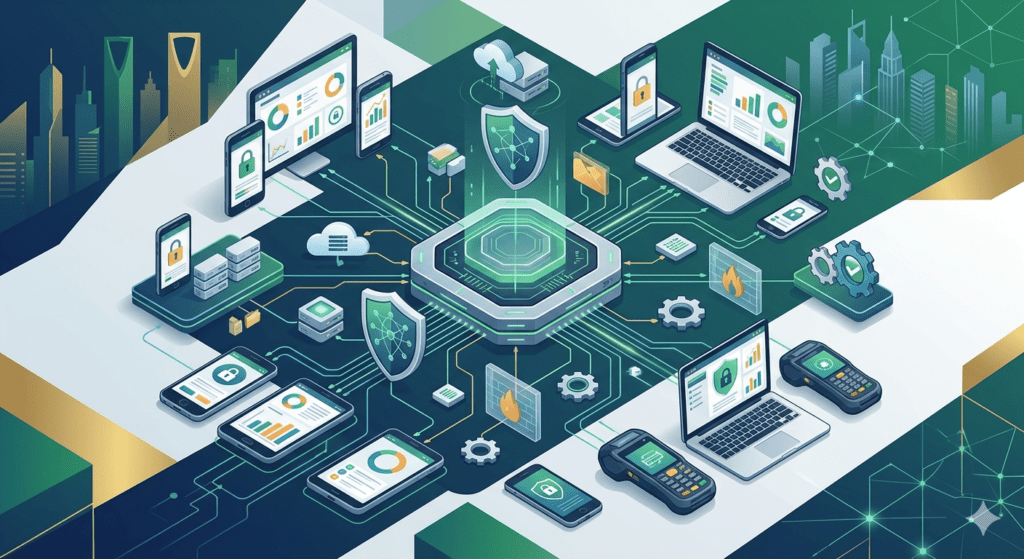
Mobile device management (MDM) is a technology solution that allows organizations to centrally manage, secure, and monitor every endpoint that accesses their corporate data — whether that device is a company-issued smartphone, an employee’s personal laptop, a warehouse scanner, or a field tablet.
Through a single web-based administration console, an IT team can:
- Enroll devices and apply configuration profiles automatically
- Enforce security policies — passwords, encryption, VPN, screen locks
- Deploy, update, or remove applications across the entire fleet
- Track device locations in real time
- Wipe corporate data from a lost or stolen device remotely
- Monitor compliance and generate audit reports
The key word is centrally. Without MDM, each of these tasks either falls on the individual user (unreliable) or requires an IT technician to physically touch every device (impossible at scale). MDM makes all of it automated, enforceable, and visible from one place.
MDM, MAM, and UEM — What Is the Difference?
You will often see three related terms used in enterprise IT discussions:
Term | What it manages | Practical meaning |
MDM | The device itself | Enrollment, policy, OS updates, remote wipe, location |
MAM | Applications on devices | App deployment, restrictions, lifecycle, BYOD containers |
UEM | Everything — MDM + MAM + content | One platform covering all endpoints, all OS, all use cases |
In practice, most modern enterprise deployments use a UEM platform — a single console that delivers MDM, MAM, and content management together. When your IT advisor or vendor refers to ‘MDM’, they usually mean UEM in all but name.
Why Saudi Businesses Need MDM Right Now
Saudi Arabia’s business environment has several characteristics that make mobile device management particularly important:
1. A rapidly mobile workforce
Vision 2030 is driving rapid growth across construction, logistics, healthcare, financial services, and technology sectors — all of which rely heavily on field teams, remote staff, and distributed operations. Every additional mobile device your organization deploys without management is an uncontrolled endpoint in your security perimeter.
2. BYOD is already happening — whether you planned for it or not
Many Saudi organizations have not formally adopted a BYOD policy, but employees are using their personal phones for work regardless — checking corporate email, accessing shared files, joining video calls from personal WhatsApp accounts. Without MDM, you have no visibility into this, and no control over what happens to corporate data on those devices.
3. Data protection obligations under PDPL
Saudi Arabia’s Personal Data Protection Law (PDPL), administered by SDAIA, requires organizations to apply appropriate technical measures to protect personal data. Unmanaged endpoints — where corporate data sits alongside personal apps without encryption, remote wipe capability, or access controls — represent a clear gap in that protection. Organizations should consult qualified legal advisors for formal compliance guidance; MDM provides the technical controls that support those requirements.
4. IT teams are stretched
As device estates grow and become more distributed, IT support costs rise. Remote troubleshooting, manual configuration, device recovery, and software updates consume hours that could be spent on strategic work. MDM automates most of this — cutting support overhead significantly once deployed.
What MDM Actually Looks Like in Practice
Here is a concrete example of how MDM works for a mid-sized Saudi organization with a mixed device fleet:
- A new employee receives a company iPhone and a Windows laptop on their first day.
- IT enrolls both devices remotely — the employee follows a simple setup wizard, and both devices are instantly configured with corporate Wi-Fi, VPN, email, and security policies.
- A specific set of approved apps is pushed to the iPhone automatically. Personal app stores are accessible, but unapproved app categories are blocked on the corporate device profile.
- The laptop’s OS and software updates are managed centrally — patches are applied on schedule without requiring the employee to do anything.
- Three months later, the employee loses their iPhone. IT remotely wipes all corporate data within minutes. The employee’s personal photos (if it was a BYOD device with a work container) are untouched.
That same console, at the same time, is also tracking the location of 50 delivery driver devices across the Kingdom, enforcing camera-off policies in the company’s secure product development facility, and generating a compliance report showing which devices are running outdated software.
This is what enterprise mobile device management delivers at scale — and it runs continuously, in the background, without constant IT intervention.
How to Evaluate MDM Solutions for Your Organization
Not every MDM platform is the right fit for every organization. Before selecting a solution, your IT team or advisor should assess:
- What device types and operating systems are in your fleet (Android, iOS, Windows, macOS, rugged devices)
- Your ownership model — corporate-owned only, BYOD, or mixed
- Your compliance and regulatory context — what data protection obligations apply
- Whether you prefer cloud-hosted or on-premise deployment
- Your IT team’s capacity to manage the platform day-to-day
- Integration requirements with your existing Active Directory, VPN, and identity systems
The answers to these questions should drive the platform recommendation — not the other way around. An IT partner who starts with the platform and works backward is not giving you objective advice
General information note The content in this blog post is provided for general educational and informational purposes only. It does not constitute technical advice specific to your organization. Software platforms are continuously updated — features, capabilities, and specifications described here may change with new product releases. References to regulatory frameworks such as Saudi Arabia’s Personal Data Protection Law (PDPL) or NCA controls are for general awareness only and do not represent official compliance guidance. We recommend speaking with a qualified IT advisor before applying any solution to your business or systems. Bluechip-Saudi’s team is available for a free consultation. |